
Maintenance
How-to guideThe Ultimate Guide: How to Program a LiftMaster 890MAX Remote
August 27, 2026 · Prime Garage Doors
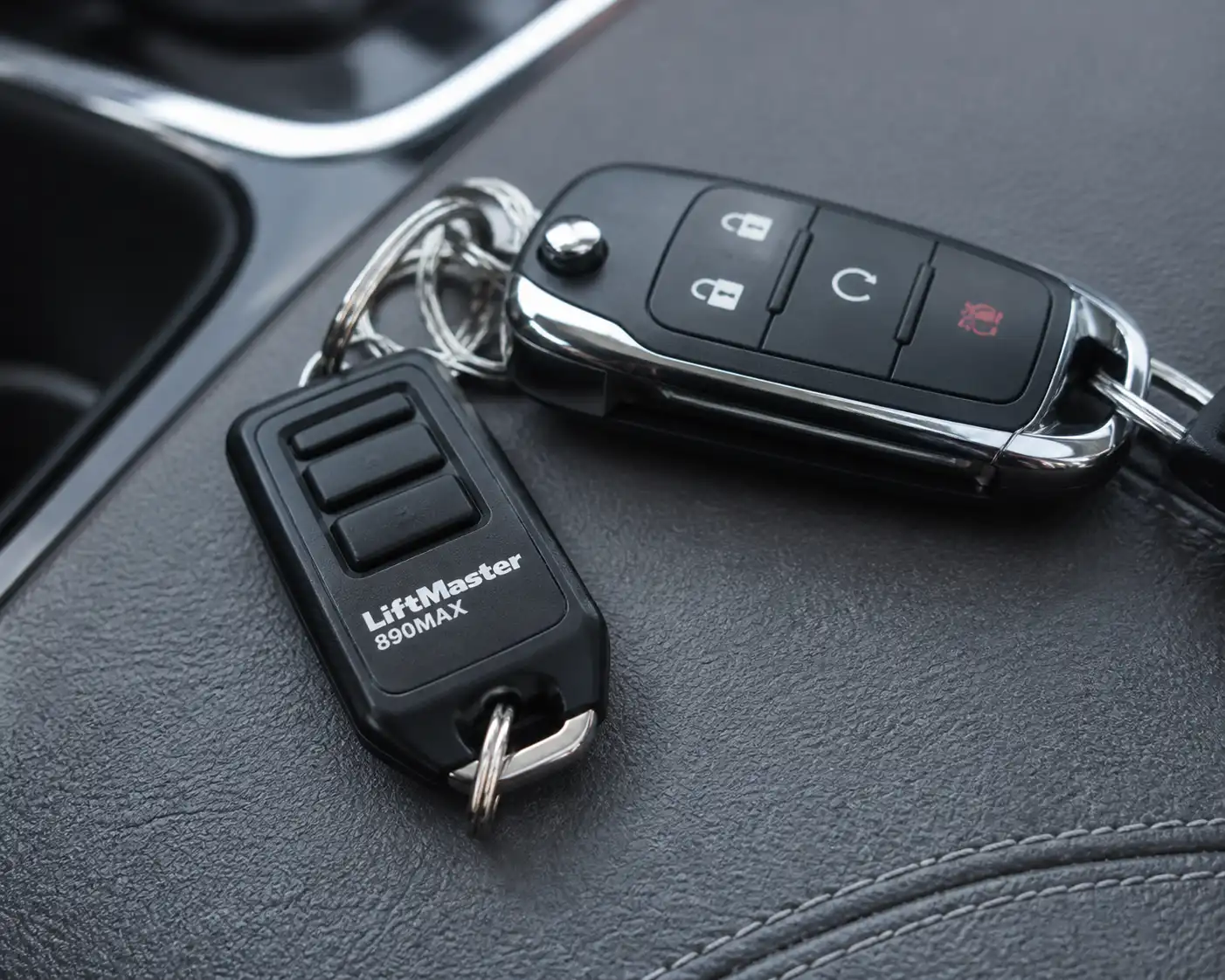
Looking for a quick way to program your LiftMaster 890MAX keychain remote control? Follow our step-by-step guide to pair your remote with any compatible garage door opener or gate.
To program a LiftMaster 890MAX remote control, place the mini transmitter into setup mode using a small pin, press and release the colored Learn button on your garage door opener motor head, and press your selected remote button until the opener lights flash. This compact tri-band transmitter operates across LiftMaster, Chamberlain, and Craftsman garage door openers manufactured from 1993 to the present. Following the proper step-by-step sequence for your liftmaster 890max remote restores fast, convenient garage access across Greater Boston in under five minutes.
Understanding the LiftMaster 890MAX Remote and Opener Compatibility
The LiftMaster 890MAX is a portable, three-button keychain remote designed to operate up to three separate garage door openers or gate operators. Unlike older single-frequency transmitters, this unit utilizes tri-band radio technology. It can broadcast signals across 310 MHz, 315 MHz, and 390 MHz frequencies. This multi-frequency capability allows a single keychain remote to communicate with different generations of overhead openers, making it convenient for properties with multiple garage doors or distinct opener brands, similar to programming an 893max liftmaster 3 button remote.
To program your transmitter correctly, you must first identify the exact signal technology used by your motor unit. Garage door manufacturers use color-coded Learn buttons on the logic board panel, typically found beneath the light cover on the opener chassis. The color of this button indicates the radio protocol and frequency required for pairing:
- Yellow Learn Button (Security+ 2.0): Found on residential openers manufactured from 2011 to the present. Uses narrow-band tri-frequency technology (310, 315, and 390 MHz) to eliminate radio interference and block unauthorized signal cloning.
- Purple Learn Button (Security+ 315 MHz): Found on openers manufactured from 2005 to 2011. Operates on a single 315 MHz radio frequency designed to minimize interference from surrounding wireless networks.
- Red or Orange Learn Button (Security+ 390 MHz): Found on openers manufactured from 1997 to 2005. Features 390 MHz rolling code technology that changes the transmission code every time the door operates.
- Green Learn Button (Billion Code 390 MHz): Found on openers manufactured from 1993 to 1997. Uses fixed 390 MHz radio frequency codes created during manufacturing.
Homeowners throughout Greater Boston—including communities in Cambridge, Somerville, Newton, Brookline, Quincy, and Watertown—frequently deal with significant seasonal weather fluctuations. Freeze-thaw cycles, sub-zero winter temperatures, and elevated summer humidity can affect garage access electronics. Extremely cold winter weather naturally reduces voltage output in small lithium coin cell batteries, which can lead to intermittent signal loss or unpairing. Understanding how your transmitter syncs with the overhead logic board ensures consistent operation through every New England season.
Signs Your Remote Needs Programming and What to Check First
A portable garage door transmitter can lose its signal connection with the overhead motor for several common reasons. You may need to reprogram your remote if the wall console operates the door properly while the handheld transmitter fails to respond, if you recently replaced a dead coin cell battery, or if you cleared the motor memory after losing a set of house keys. Before climbing a step ladder, complete initial checks and review Consumer Product Safety Commission guidance to troubleshoot communication issues effectively.
Review this preparation list before starting the programming sequence:
- Check the Remote Battery: Verify that your transmitter contains a fresh CR2032 3V lithium coin cell battery. A weak battery may illuminate the casing LED light while failing to transmit a strong radio signal to the overhead receiver.
- Verify Opener Power and Lock Settings: Ensure your overhead opener chassis is plugged into a live electrical outlet. Check your wall-mounted control panel to confirm the "Lock" or "Vacation" setting is turned off. If the wall console light is flashing rapidly, hold the lock button for three seconds to turn off lockout mode.
- Set Up a Stable Ladder: Position a sturdy step ladder underneath or slightly to the side of the motor chassis. Ensure all ladder feet rest firmly on flat, dry concrete. Never stand on vehicle hoods, storage boxes, or folding chairs, and avoid reaching across moving door hardware.
- Clear the Garage Area: Keep vehicles, pets, and bystanders away from the garage door path. When the logic board receives a new radio code, it may trigger the opener motor to operate during the setup process.
- Select Your Setup Tool: Find a small safety pin, paper clip, or visor clip prong. You need a slender tool to press the small recessed setup button located on the side of the transmitter housing.
- Critical Safety Note on High-Tension Hardware: Torsion springs, extension springs, lift cables, bottom corner brackets, and track systems are under extreme mechanical tension. Attempting to repair, adjust, or unwind high-tension components without technical experience can result in severe personal injury or structural damage. Always rely on experienced professionals for garage door spring repair, cable repairs, and structural alignment work.
How to Program a LiftMaster 890MAX Remote Step by Step
Follow this step-by-step procedure to pair your compact transmitter with your overhead garage door opener. Make sure your step ladder is positioned safely beside the motor chassis before starting the initial step.
Step 1: Put the Remote Transmitter into Setup Mode
Locate the small recessed programming hole on the side or edge of your remote housing. Insert your paper clip or safety pin into the hole and press firmly until the LED indicator light on the front cover turns solid green. A solid green light indicates that the transmitter is in active programming mode and ready to calibrate its frequency for your liftmaster 890max unit.
Step 2: Access the Learn Button on the Overhead Motor
Climb your step ladder to reach the overhead garage door opener chassis. Gently unlatch or swing down the plastic light lens cover on the rear or side panel to reveal the logic board controls. Locate the colored Learn button (Yellow, Purple, Red/Orange, or Green) positioned beside the diagnostic indicator light and the thin hanging antenna wire.
Step 3: Press and Release the Opener Learn Button
Press and immediately release the colored Learn button once. Do not hold the Learn button down. Holding the Learn button down for six continuous seconds wipes all programmed remotes, keypads, and smart access devices from the opener's memory. The small diagnostic LED next to the Learn button will light up steadily for 30 seconds, signaling that the receiver is ready to record a new transmission signal.
Step 4: Press Your Selected Remote Button Based on Opener Color
While the diagnostic LED on the motor head is active, press and release your chosen remote button on the front of the transmitter. Pause briefly between each press while watching the light bulbs on the overhead motor unit. The total number of required button presses depends directly on the color of your opener's Learn button:
- Press 1 time for openers with a Yellow Learn Button (Security+ 2.0).
- Press 2 times for openers with a Purple Learn Button (Security+ 315 MHz).
- Press 3 times for openers with a Red or Orange Learn Button (Security+ 390 MHz).
- Press 4 times for openers with a Green Learn Button (Billion Code 390 MHz).
Step 5: Confirm Receiver Signal Pairing
Watch the overhead opener motor unit for visual or audible confirmation. When the logic board receives the correct radio frequency, the main light bulbs on the motor head will flash twice. If your opener lens does not have active light bulbs installed, you will hear two distinct clicking sounds from the internal receiver relays. Stop pressing the remote button immediately once you observe the lights flash or hear the clicks.
Step 6: Lock in Settings and Exit Setup Mode
To lock in the programming setup, press any other button on the remote, or insert your pin to press the recessed programming button on the side of the shell one final time. The solid green LED on the front of the remote will turn off. Exiting setup mode stores the selected frequency into transmitter memory and prevents accidental code changes during daily use.
Step 7: Test Remote Operation from Inside and Outside
Step down from your ladder and move away from the path of the garage door. Press the newly programmed remote button to verify door movement. The motor should start smoothly, raising or lowering the door without hesitation. Walk out to your driveway to confirm signal transmission through the closed garage door panel.
After the Job: Maintenance Tips for Remote Controls
Performing routine maintenance helps preserve your remote control signal range and protects your garage door system throughout New England's variable weather in areas like Medford, Malden, Waltham, Arlington, Belmont, and Dedham.
Use these practical maintenance guidelines to keep your garage door access consistent:
- Replace Coin Cell Batteries Annually: The transmitter uses a single CR2032 3V lithium coin cell battery. Insert a small flat-head tool into the casing slot to open the housing shell. Replace the battery once a year, especially before freezing winter weather arrives in Greater Boston.
- Straighten the Overhead Antenna Wire: Ensure the thin flexible antenna wire extending from the motor chassis hangs straight down toward the garage floor. If the wire is wrapped around metal support angles, electrical conduit, or ceiling storage racks, signal range will decrease significantly.
- Keep Housing Shell Clean and Dry: Moisture, road salt residue from keychains, and fine dust can enter the plastic casing over time. Clean the plastic exterior with a dry microfiber cloth, and avoid exposing keychains to heavy rain or snow accumulation.
- Clear Opener Memory If a Remote Is Lost: If a keychain remote is misplaced or stolen, erase all stored access codes from your motor unit immediately. Hold down the Learn button on the motor chassis for six seconds until the diagnostic LED turns off. Reprogram all remaining handheld transmitters, keypads, and vehicle connections afterward.
- Inspect Mechanical Hardware Visually: Electronic remotes rely on smooth mechanical hardware to operate properly. Periodically inspect track alignment, hinges, and rollers visually, but never touch or adjust high-tension torsion springs, extension springs, lift cables, or bottom brackets yourself.
When to Call a Professional for Opener Service
While basic programming steps resolve most pairing issues, internal component failures or underlying mechanical drag can prevent successful remote configuration. If your motor logic board diagnostic LED flashes continuous error codes, if the Learn button fails to illuminate when pressed, or if your garage door won't open, professional diagnostic support is recommended.
Faulty circuit boards, worn drive gears, misaligned photo-eye safety sensors, and damaged motor capacitors require technical evaluation. Additionally, if your garage door binds in its tracks due to broken springs or frayed lift cables, electronic commands from a remote will not operate the door safely. Prime Garage Doors provides comprehensive garage door opener repair, spring replacement, and mechanical troubleshooting across Greater Boston, operating out of Watertown, MA. Experienced professionals offer free estimates, same-day service availability, and 24/7 phone support at (844) 321-0914 to resolve garage door hardware and access issues safely.
Summary and Key Takeaways
Programming your tri-band garage door remote requires matching the setup button sequence to the color of your opener's Learn button. By identifying your motor head technology and following the correct button presses, you can pair your transmitter in minutes and maintain seamless garage access through changing weather conditions.
- Identify your opener's Learn button color (Yellow, Purple, Red/Orange, or Green) to determine the exact number of button presses required.
- Insert a pin into the remote's side hole until the LED turns solid green before attempting to pair with the motor unit.
- Press and release the opener Learn button once—never hold it down, as holding it wll erase all programmed devices.
- Always observe high-tension safety rules and rely on trained technicians for spring, cable, or structural repairs.
If your garage door opener fails to respond or needs hardware inspection, contact the team at Prime Garage Doors. Schedule Service or Call Now at (844) 321-0914 to speak with our experienced professionals today.
Frequently asked
- How do I know how many times to press the LiftMaster 890MAX button during setup?
- The number of button presses depends directly on the color of the Learn button located on your overhead opener motor head. You press the remote button once for Yellow Learn buttons, twice for Purple, three times for Red/Orange, and four times for Green. Watch for the opener lights to flash twice or listen for two distinct clicks to confirm the remote signal is stored.
- What type of battery does the LiftMaster 890MAX remote use and how is it replaced?
- The LiftMaster 890MAX keychain remote relies on a single CR2032 3V lithium coin cell battery. You can open the plastic housing by inserting a small coin or flat screwdriver into the pry notch near the key ring loop. If your transmitter fails to program even after installing a fresh battery, experienced professionals can help test your logic board and remote system.
- Why does my LiftMaster 890MAX remote only open the door when standing right next to the motor?
- Short signal range typically indicates a low CR2032 battery, signal interference from nearby LED light bulbs, or a coiled antenna wire on the motor chassis. Ensure the thin antenna hangs straight down beneath the plastic light lens cover on your motor head. If your door has hardware damage or worn rollers causing physical resistance, you can Schedule Service with our team across Greater Boston.
- How do I clear lost remotes from my LiftMaster garage door opener memory?
- Press and hold the colored Learn button on your overhead motor unit for six seconds until the diagnostic LED light turns off. This erases all programmed remotes, keypads, and vehicle connections from the logic board to protect your garage. After clearing the memory, you must reprogram every active LiftMaster 890MAX transmitter back into the receiver.
- What should I do if my garage door opener will not accept the LiftMaster 890MAX program signal?
- Check your wall control panel to make sure the Vacation or Lock mode feature is turned off, and verify your opener was manufactured in 1993 or later. Never attempt to force an unresponsive door by pulling cables or tampering with hardware under high tension. Prime Garage Doors offers free estimates and same-day service available across Greater Boston—Call Now for prompt technician support.