
Maintenance
How-to guideLiftMaster 878MAX Wireless Keypad Setup and Troubleshooting Guide
October 20, 2026 · Prime Garage Doors
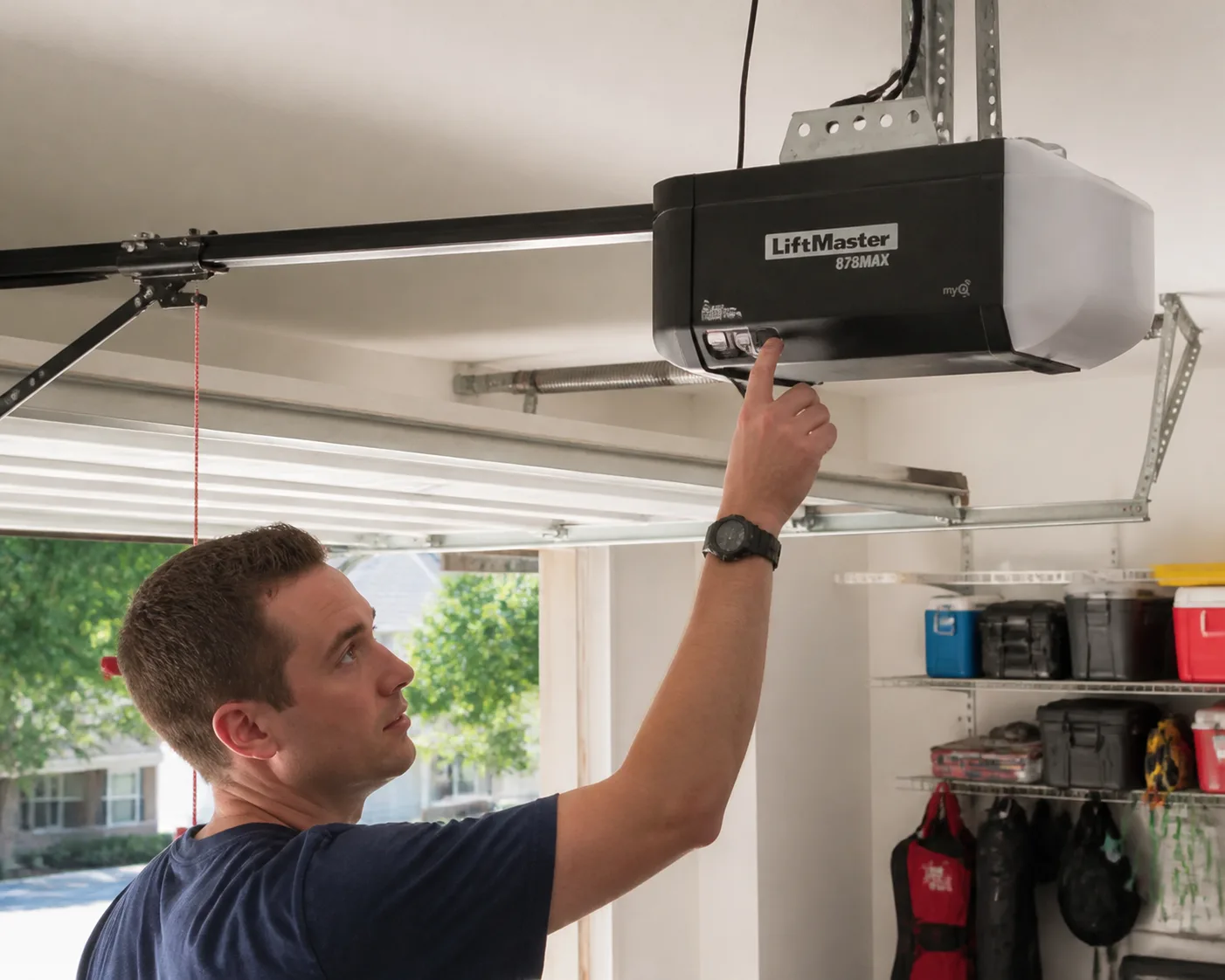
• Step-by-step instructions to program, reset, and troubleshoot your LiftMaster 878MAX wireless keypad. Learn how to sync it with your garage door opener quickly and safely.
Programming a LiftMaster 878MAX wireless keypad allows keyless entry into your home by syncing a customized four-digit personal identification number (PIN) directly with your overhead garage door opener logic board. The setup process involves placing the opener motor unit into receiver mode and transmitting your chosen security signal within a thirty-second window. Understanding hardware compatibility, battery requirements, and proper setup steps ensures safe and dependable keyless entry through every season.
Understanding the LiftMaster 878MAX Wireless Keypad and Opener Compatibility
The LiftMaster 878MAX is an exterior wall-mounted keyless entry device designed to communicate with modern residential garage door openers. It uses Security+ 2.0 multi-frequency technology, broadcasting across 315 MHz and 390 MHz radio spectrums. This tri-band signal transmission helps reduce ambient radio interference from surrounding household electronics while preventing unauthorized signal interception. Before starting the setup procedure, confirming that your overhead motor housing supports MAX series accessories saves time and prevents programming errors.
The 878MAX keypad is designed for LiftMaster, Chamberlain, and Craftsman garage door openers manufactured after 1993 that feature functional photoelectric safety sensors. It pairs seamlessly with units equipped with a yellow Learn button and a yellow antenna wire. If your motor housing features an orange, red, purple, or green Learn button, the device can also operate through built-in universal legacy modes, though the button press sequence on the keypad requires specific timing adjustments during initial pairing.
Environmental factors across New England can also influence exterior wireless keypad performance. Sub-zero cold snaps, coastal salt air, and sudden shifts in humidity can cause sudden voltage drops in outdoor batteries or create mild corrosion on electronic key contacts. Recognizing how signal transmission connects your keypad to your motor unit makes it straightforward to diagnose issues when weather conditions temporarily affect keyless operation.
What to Check Before Keypad Setup and Programming
Taking a few moments to review your setup area, check power components, and gather basic gear keeps the programming sequence moving smoothly. Because garage door opener logic boards exit active receiver mode automatically after roughly thirty seconds, having direct access to the motor housing ensures a successful pairing process.
Learn Button Color and Location: Position a sturdy stepladder under your overhead opener unit. Remove or hinge open the plastic light lens cover to locate the rectangular Learn button and its adjacent diagnostic LED on the control panel.
Fresh 9-Volt Battery: Open the flip cover of the LiftMaster 878MAX and inspect the battery compartment. Ensure a fresh, high-quality 9-volt alkaline battery is connected firmly to the terminal leads.
Clean Button Contacts: Ensure the numeric keypad face is clear of dirt, ice, or salt residue. Wipe down the plastic buttons using a dry cloth to maintain crisp contact responses.
Clear Pathways: Confirm that the garage door track system is clear of obstructions, vehicles, tools, and family members before transmitting test signals.
Required Tools and Safety Gear: Keep a reliable stepladder and safety glasses nearby so you can reach the motor housing safely without overreaching.
Step-by-Step Guide: How to Program a LiftMaster 878MAX Keypad
Syncing your wireless keypad to your overhead motor unit requires putting the drive logic board into receiver mode and transmitting your chosen access code. Follow these sequential steps to complete the LiftMaster 878MAX keypad setup.
Step 1: Clear the area surrounding the garage door track system
Before pressing any programming buttons, check that the space around and beneath the garage door is completely clear. Transmitting setup signals can prompt the opener motor to cycle unexpectedly. Keep children and pets at a safe distance throughout the process.
Step 2: Access the overhead opener motor unit
Set up your stepladder on a flat surface directly underneath the garage door opener power head. Carefully lower or remove the light cover lens to expose the circuit panel. Locate the Learn button and note its color alongside the small indicator light.
Step 3: Select a secure four-digit PIN code
Decide on a memorable four-digit personal identification number before touching the control board. Avoid predictable number sequences like 1-2-3-4 or repeated digits like 1-1-1-1, which compromise garage security. Write the PIN down temporarily so you can enter it quickly during the active setup window.
Step 4: Activate programming mode on the opener drive unit
Press and immediately release the Learn button on your garage door opener motor housing. The indicator LED next to the button will illuminate steadily, showing that the receiver is actively listening for an incoming radio frequency code. Do not hold the Learn button down for longer than six seconds, as holding it continuously clears the memory logic board and erases all previously paired remotes and keypads.
Step 5: Transmit the PIN signal from the wireless keypad
Within thirty seconds of releasing the Learn button, move to your wall-mounted LiftMaster 878MAX keypad. Enter your chosen four-digit PIN using the numeric buttons, then press and hold the ENTER button. Continue holding the ENTER button until the light bulbs on the garage door opener motor housing flash, or until you hear two distinct clicking sounds from the drive unit.
Step 6: Test the keypad operation and verify setup
Release the ENTER button once the opener lights flash or click. The pairing process is complete. Wait ten seconds for the internal receiver to exit programming mode. To confirm operation, enter your four-digit PIN on the keypad and press ENTER; the door should move smoothly along the garage door track system.
Keypad Maintenance, Troubleshooting, and Access Security
When an exterior keypad stops responding, systematic troubleshooting pinpoints whether the problem involves battery exhaustion, signal interference, or logic board memory limits. Review the table below for common symptoms and direct troubleshooting steps.
Symptom Probable Cause Recommended Solution Keypad backlighting fails to illuminate Depleted or disconnected 9V battery Replace with a fresh 9-volt heavy-duty alkaline battery and clean terminal snaps. Keypad lights turn on, but door stays motionless PIN mismatch or lost radio pairing signal Repeat the programming sequence. Verify Learn button color compatibility. Intermittent performance during cold weather Sub-zero temperatures dropping battery voltage Install cold-weather rated batteries and check for moisture inside the casing. Interior wall button works, but exterior keypad fails Radio frequency interference or full receiver memory Check for nearby LED bulb interference or clear receiver memory and re-pair accessories.
If you need to change an existing PIN and know the current code, enter your active four-digit PIN, press and hold the # button until the opener light flashes, enter your new four-digit PIN, and press ENTER. If the original PIN is forgotten, complete the standard programming steps outlined above to overwrite the memory channel with your new code.
Routine care protects exterior keypad electronics from climate wear. Inspect the outer flip casing periodically for cracks or gaps that could let rain, melting ice, or road dust penetrate the circuit card. Beyond accessory care, keeping mechanical door components properly maintained prevents excess strain on your motor drive unit. Apply a specialized garage door lubricant directly to moving bearings, steel rollers, and door hinges. Never apply grease or oil inside the track channels, as proper track cleanliness prevents dirt accumulation from slowing roller movement and placing unnecessary load on the motor.
When electronic diagnostics point toward broader mechanical problems or severe motor drive strain, seeking qualified technical assistance is the safest choice. If you encounter binding hardware while trying to fix garage door components, professional evaluation prevents further mechanical failure. Property owners throughout the region—whether looking for reliable garage door repair boston services or prompt garage door repair framingham ma—can rely on experienced technicians to clear logic board faults and resolve track misalignments. Homeowners outside the immediate metropolitan area who need saratoga springs garage door repair also benefit from comprehensive motor testing and hardware adjustments.
When to Call a Garage Door Professional
While programming a wireless keypad is a straightforward task for homeowners, physical garage door malfunctions demand specialized equipment and hands-on mechanical expertise. If your keypad sends signals correctly but the garage door binds, shakes, makes loud grinding noises, or remains stuck on the garage floor, the underlying failure is mechanical rather than electrical.
High-tension hardware like torsion springs, extension springs, and steel lifting cables carry intense kinetic tension capable of causing severe structural damage or physical injury if handled improperly. Safety notices published by the U.S. Consumer Product Safety Commission (CPSC) warn that high-tension assemblies should only be adjusted or replaced by trained professionals. Never attempt to untie lifting cables, loosen spring anchor brackets, or unbolt the garage door track system on your own.
If your garage door has jumped off its tracks, sagged to one side, or suffered complete opener motor failure, stop using keypads and remote controls right away. Call Now to speak with experienced professionals at Prime Garage Doors at (844) 321-0914 or Request a Free Estimate to get your garage door system back in peak condition.
Summary of LiftMaster 878MAX Keypad Setup
Setting up your LiftMaster 878MAX wireless keypad provides convenient, keyless access by pairing a four-digit PIN with your opener's receiver card. By matching opener compatibility, maintaining fresh 9-volt batteries, and protecting outdoor components from harsh New England winter conditions, you can depend on reliable garage access throughout the year.
Confirm your garage door opener uses compatible Security+ technology with a functional Learn button.
Keep the garage door track system clear of all personnel and objects before testing keypad signals.
Enter your 4-digit PIN and press ENTER within thirty seconds of pressing the Learn button.
Replace the keypad battery annually and clean exterior contacts to prevent winter voltage failure.
Leave high-tension spring, cable, and structural repairs to qualified service professionals.
If your wireless keypad fails to sync or your garage door suffers from underlying mechanical drag, expert support is just a phone call away. Contact Prime Garage Doors today to Schedule Service or Call Now at (844) 321-0914 to Request a Free Estimate with our experienced team.
שמאמר זה יהיה שונה
Frequently asked
- How do I program a LiftMaster 878MAX wireless keypad to my garage door opener?
- To program the LiftMaster 878MAX keypad, press and release the Learn button on your overhead garage door opener motor unit to enter receiver mode. Within thirty seconds, enter your chosen four-digit PIN on the keypad and press and hold the ENTER button until the opener lights flash or click. Once confirmed, test your PIN to ensure the garage door operates smoothly along the garage door track system.
- Is the LiftMaster 878MAX keypad compatible with my garage door opener?
- The LiftMaster 878MAX keypad works with LiftMaster, Chamberlain, and Craftsman openers manufactured after 1993 equipped with safety sensors. It connects seamlessly to modern units built from 2011 to the present featuring a yellow Learn button and yellow antenna wire. Many older Security+ models can also pair using the multi-frequency MAX technology built into the keypad.
- How do I change the PIN on my LiftMaster 878MAX keypad?
- If you know your existing four-digit code, enter it on the keypad and press and hold the # button until the opener lights flash. Enter your new four-digit PIN and press the ENTER button to complete the update. If you have forgotten your code, you must follow the standard programming sequence using the Learn button on the overhead motor unit.
- Why does my LiftMaster 878MAX keypad stop working during cold weather?
- Extreme winter temperatures across Greater Boston can weaken battery voltage in exterior wireless keypads, causing sudden signal loss. Additionally, moisture, frost, or road salt buildup inside the keypad housing can interfere with button contacts. Replacing the battery with a fresh 9-volt heavy-duty alkaline battery typically restores full function.
- What should I do if the keypad lights up but the garage door will not move?
- If the keypad signals the motor housing but the door stays stationary, jerks, or binds, the issue is likely mechanical rather than electrical. High-tension components like springs, cables, and misaligned tracks carry severe safety risks and should never be repaired without proper training. Reach out to experienced professionals to safely inspect and correct underlying door hardware failures.